
Third-party Android app for EVE Online
Every pilot,
at a glance.
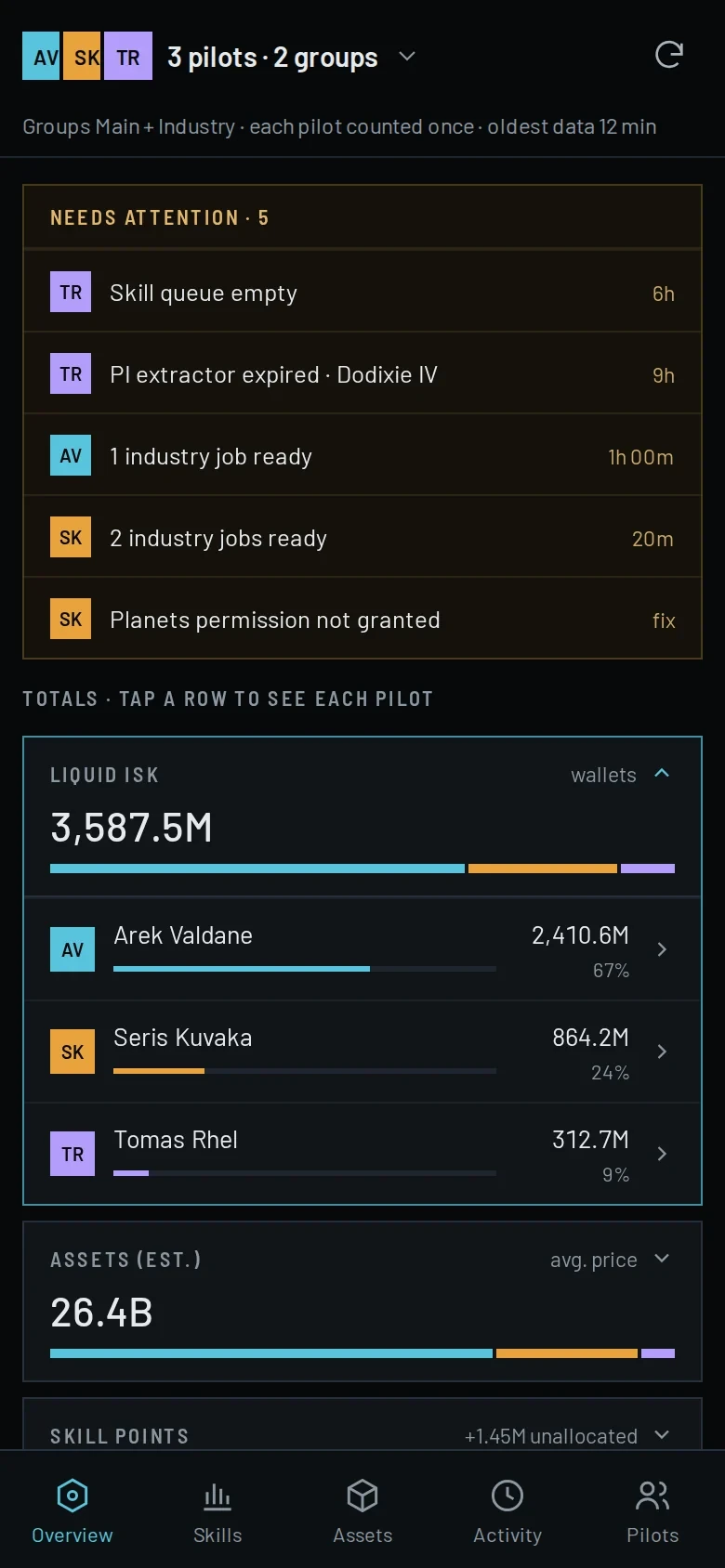
Elysium puts your pilots' skill queues, assets, industry jobs, market orders, wallets and mail in one place, and tells you when something needs you.
- ServersNone of oursThe app talks to CCP's servers directly and keeps what comes back on your phone.
- TrackingNoneNo analytics, advertising or crash reporting.
- Permissions it asks forOneNotifications, for alerts. You can turn alerts off in Settings.
Features
Built for players with more than one pilot.
-
01 · Pilots
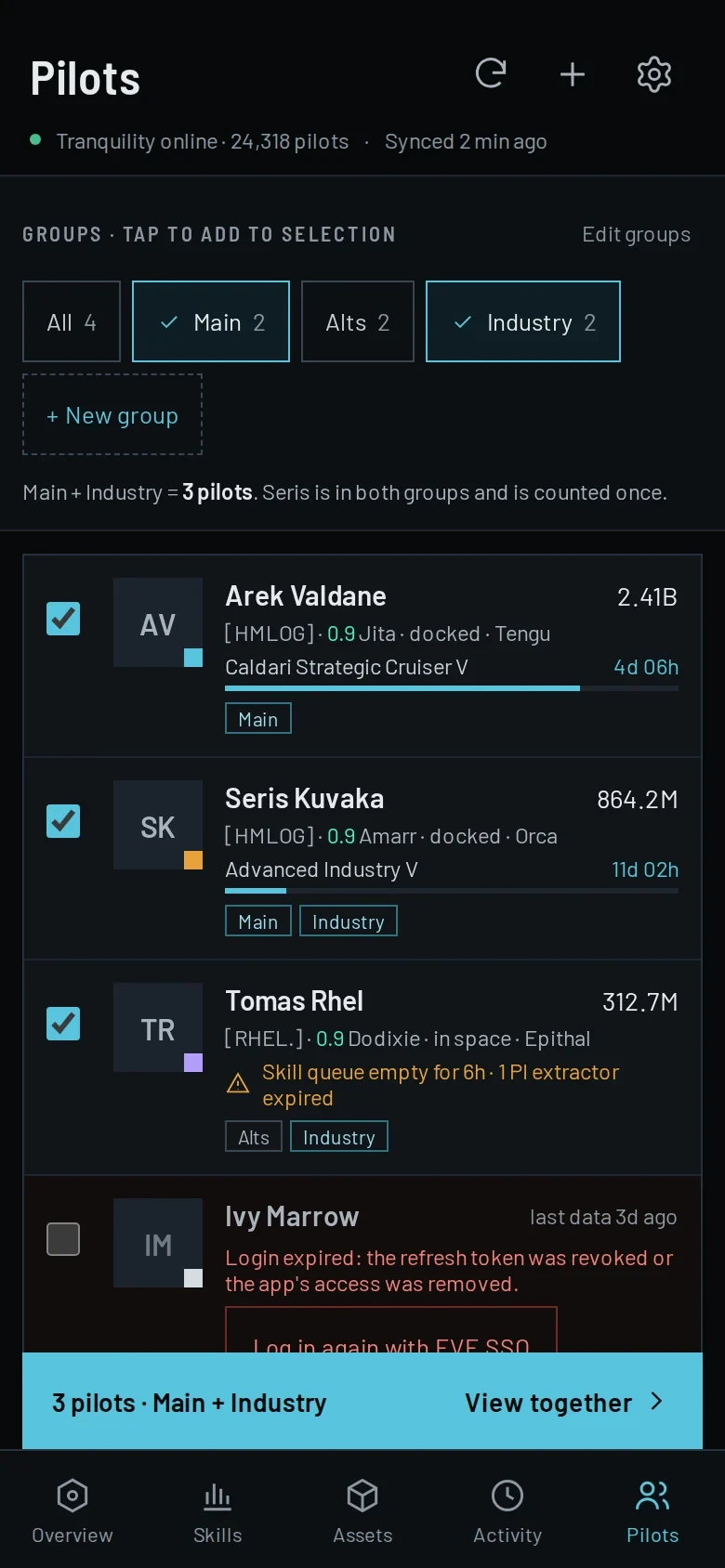
Choose who you're looking at.
Pick one pilot, several, or whole groups such as Main or Industry. Every tab follows your choice, and a pilot in two groups is counted once.
-
02 · Skills
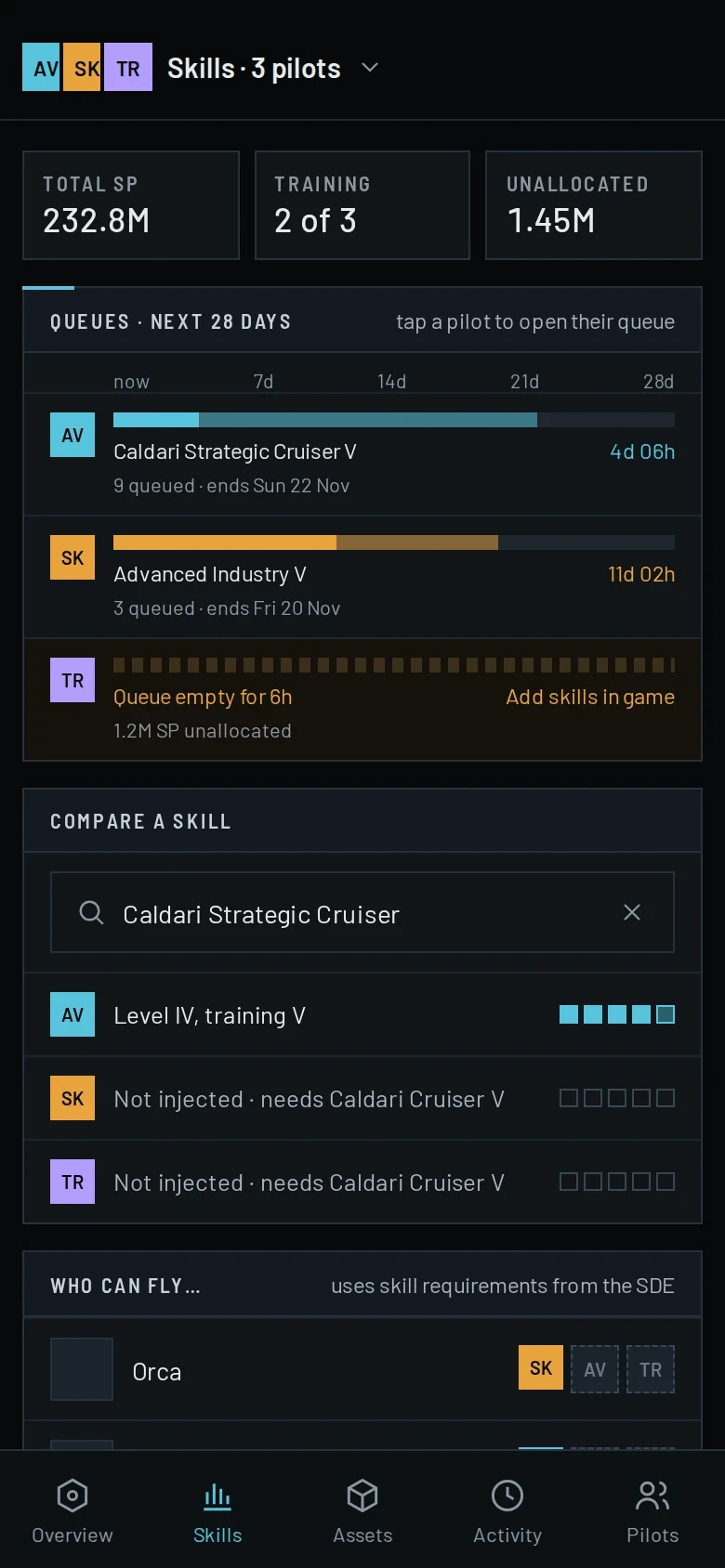
Every queue on one timeline.
See when each pilot's queue runs out over the next four weeks, compare one skill across pilots, and check who can fly a ship.
-
03 · Assets
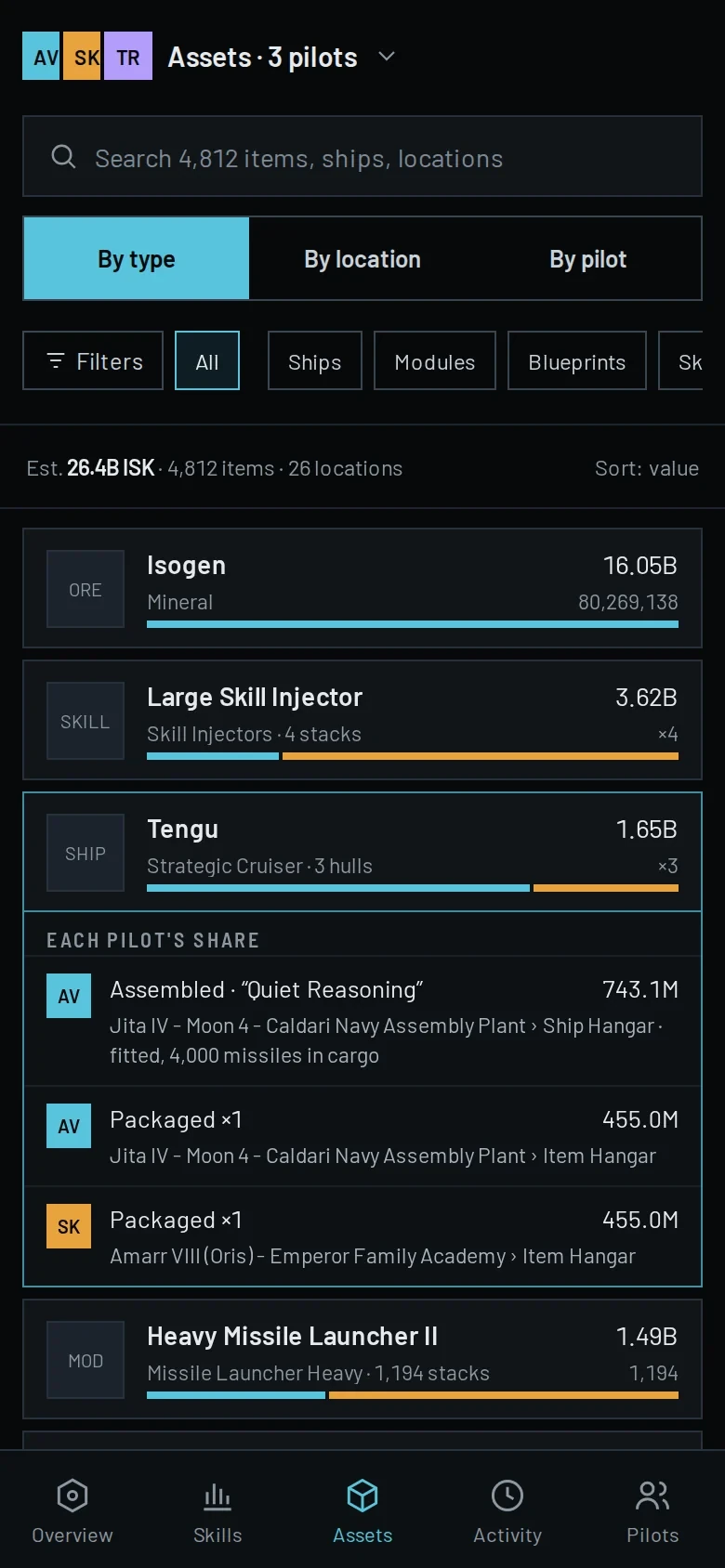
Everything you own, in one search.
Search every pilot's items, ships and stations, grouped by type, location or pilot, with an estimated value and each pilot's share.
-
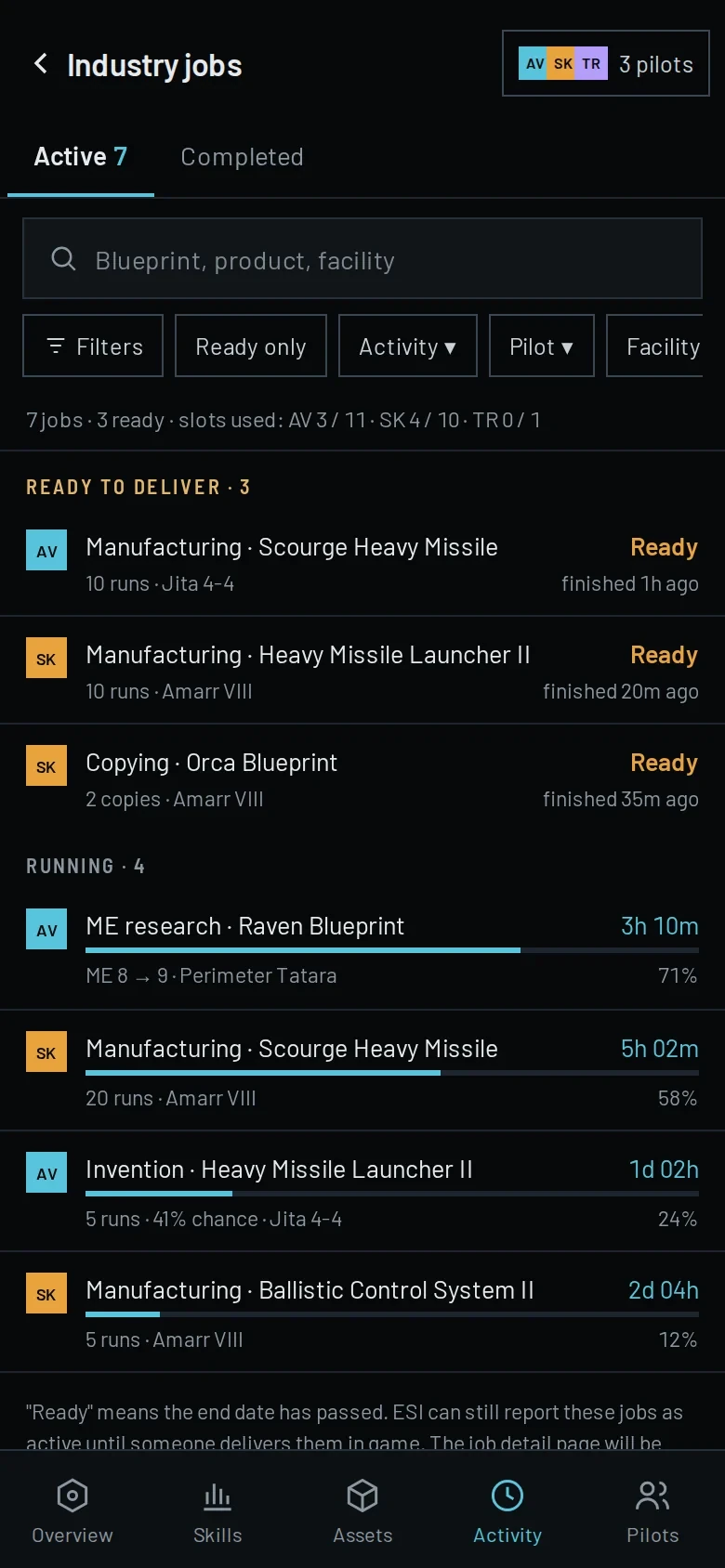
04 · Industry
Ready jobs come first.
Manufacturing, research, copying and invention for all your pilots. Jobs ready to deliver sit at the top, next to each pilot's slots in use.
-
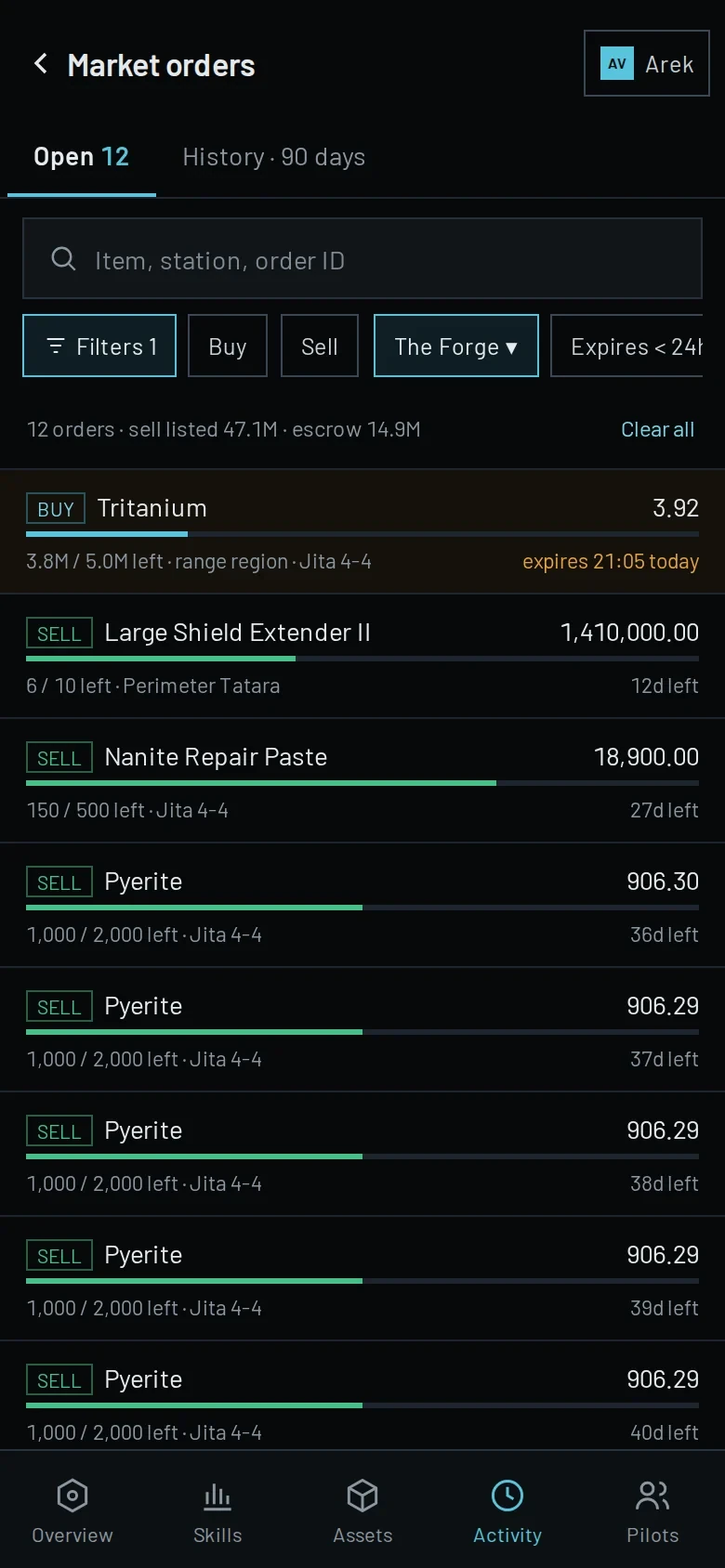
05 · Market
Orders and contracts.
Open buy and sell orders with how much is left, escrow and when they expire. Contracts show their reward, collateral, bids and deadlines.
-
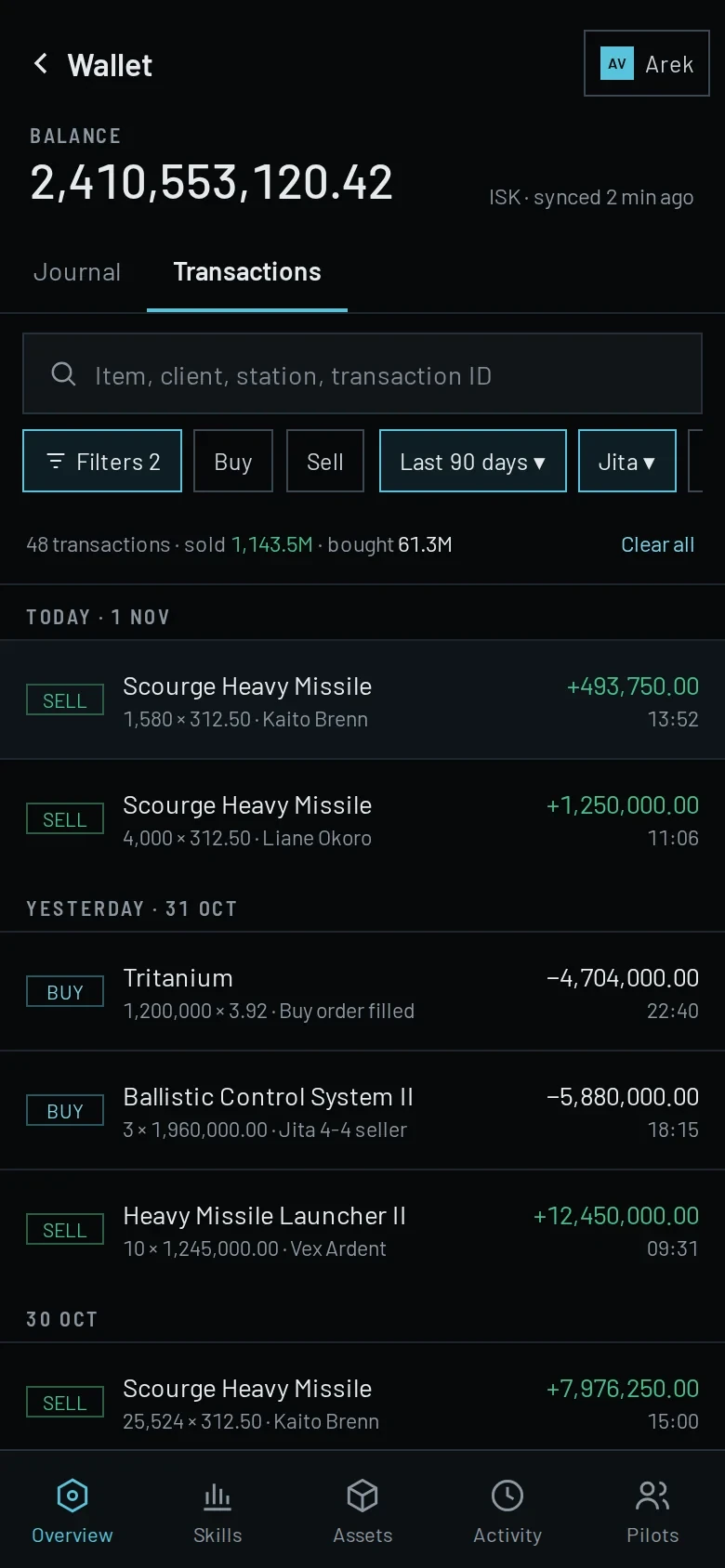
06 · Wallet
The wallet, line by line.
Balance, journal and transactions, searchable by item, client or station, and filtered by buys, sells, dates and places.
-
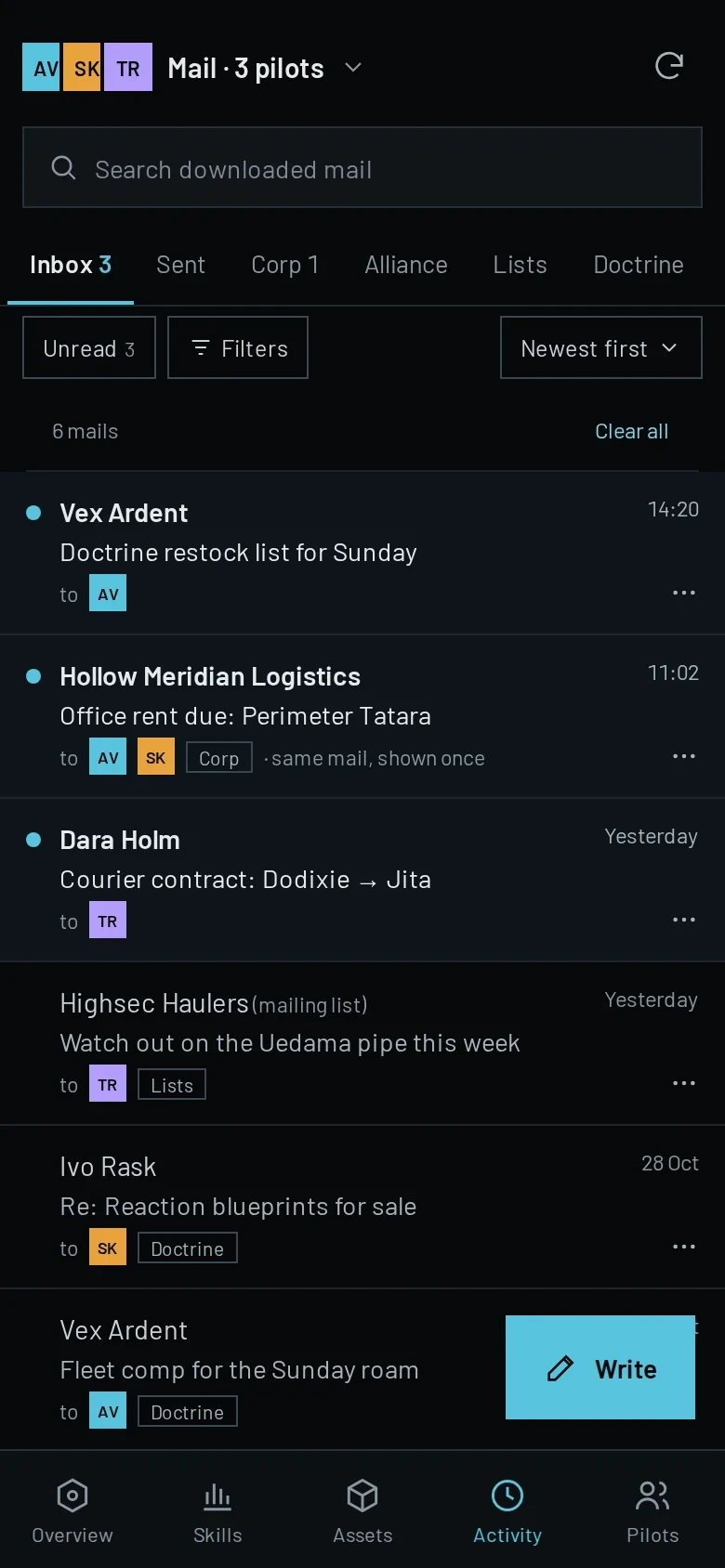
07 · Mail
One inbox for every pilot.
Read, search and write EVE mail for all your pilots. Mail sent to several of your pilots shows once, and drafts are saved on your phone.
-
08 · Activity and alerts
Know when something needs you.
Activity puts what's ready or expiring first: industry jobs, planets, orders and contracts. Background alerts tell you about an empty skill queue, a finished industry job, an expiring extractor, new mail and EVE notifications, and you choose which kinds you get. Android checks each pilot about every 15 minutes at most, so treat alerts as a reminder, not an alarm.
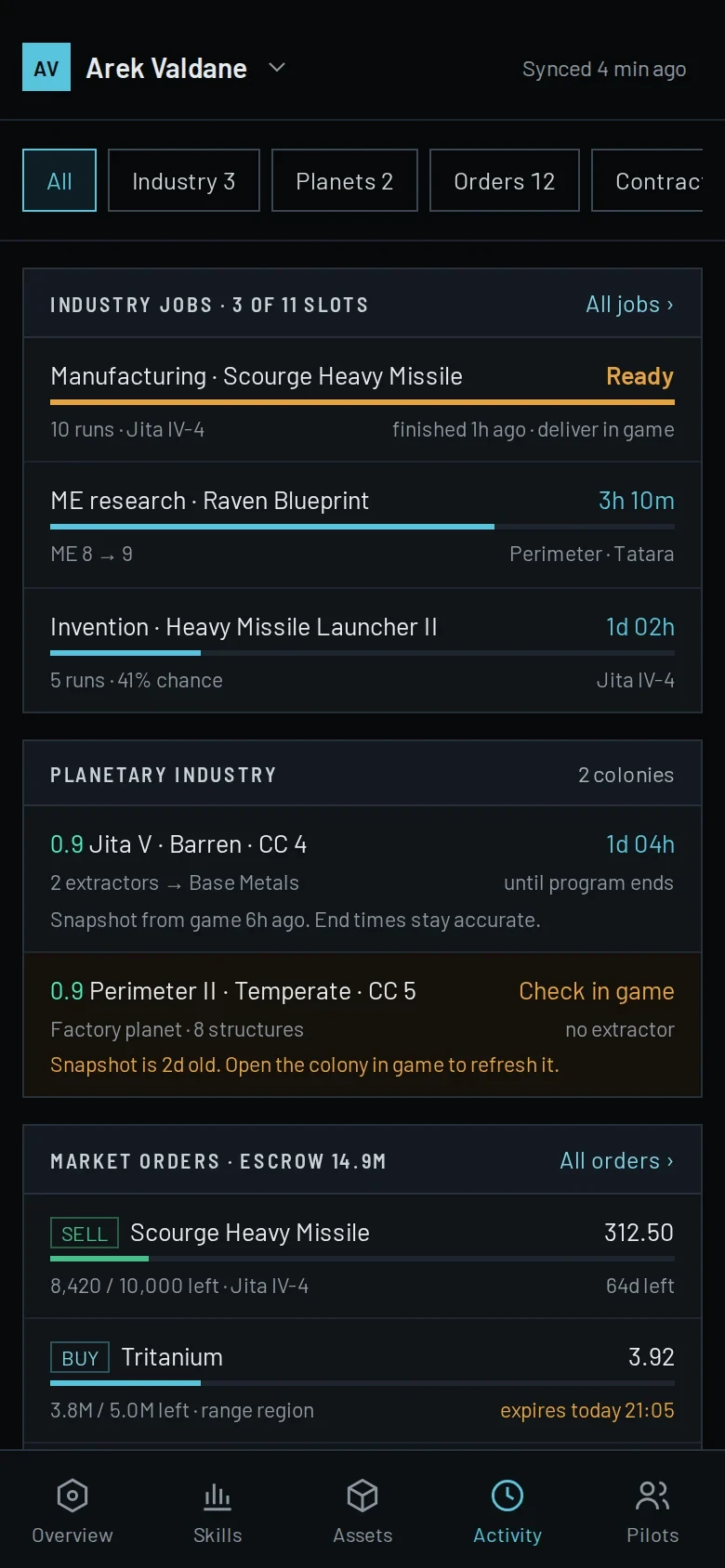
Screenshots show the app's demo mode, with fictional pilots and sample data.
Privacy
Your data stays between you and CCP.
No server of ours
There is no Elysium server and no Elysium account. The app sends requests from your phone straight to CCP's servers and keeps what comes back on your phone.
Your password goes only to CCP
You sign in on CCP's own login page, in your browser, and choose which permissions to grant. The app never sees your password.
Logins are encrypted
The token that keeps a pilot signed in is encrypted with a key held in the Android Keystore, and it is never backed up.
No tracking
No analytics, advertising or crash reporting of any kind.
Backup is off by default
If you turn it on, Android backs up your settings, pilots, groups and mail drafts. Logins and downloaded EVE data are never included.
Remove a pilot, remove its data
Removing a pilot deletes its data from your phone and revokes its access at CCP. If the app can't reach CCP, it tells you, and you can revoke access on CCP's website instead.
Use a screen lock. Elysium has no PIN of its own, so anyone who can unlock your phone can open it and see your pilots. Questions about privacy: dev@madcarrot.io.
Elysium 2.0
The APK is published on GitHub Releases. Check it against the fingerprints below before you install it.
Download from GitHub Releases- Version
- 2.0 (version code 2)
- Package
io.madcarrot.elysium- APK SHA‑256
Added when the APK is published- Signing certificate SHA‑256
05:A3: C9: B8: 1D: 55: 51: 09: A6: D9: 7E: 90: 8C: D7: A0: 0E: 68: CC: CD: 96: E6: 1A: 7C: 60: 69: 79: A9: 1A: 47: 38: 0B: 39
Install and verify
Check the file, then install it.
-
Download the APK
Use the button above. To check the file first, download it to a computer.
-
Check the file
Compute its SHA-256 and compare it with APK SHA-256 above. Replace
file.apkwith the file's name.- Linux
sha256sum file.apk- macOS
shasum -a 256 file.apk- Windows
Get-FileHash file.apk(PowerShell)
-
Check who signed it
With
apksignerfrom the Android SDK build tools, runapksigner verify --print-certs file.apk. The line Signer #1 certificate SHA-256 digest must read:05a3c9b81d555109a6d97e908cd7a00e68cccd96e61a7c606979a91a47380b39 -
Install it
Open the APK on your phone. Android asks you to let your browser or file manager install unknown apps. Allow it, install Elysium, and turn that setting off again if you like.
-
Updating later
Install new versions over the old one. Android accepts an update only if it is signed with the same certificate. If it refuses because the signature doesn't match, stop: that file didn't come from us.
FAQ
Questions
Is Elysium made by CCP?
No. Elysium is a third-party app. It is not made, endorsed or supported by CCP Games. It signs in with EVE SSO and reads your data from CCP's public ESI API, under CCP's developer licence.
What does it cost?
Nothing. Elysium is free and has no advertising.
Can I try it without signing in?
Yes. Until you add a pilot, the app opens in demo mode with four fictional pilots and built-in sample data, and downloads nothing from CCP. The screenshots on this page come from demo mode.
What permissions does it ask for?
Only notifications, for alerts. Alerts are on by default, and you can turn them off or choose which kinds you get in Settings. Android's app info also lists permissions that the background alerts use to schedule their checks, such as running at startup.
Is there an iPhone version?
No. Elysium is for Android only.
How do I remove Elysium's access to a character?
Remove the pilot in the app's Pilots tab. Elysium deletes its data from your phone and revokes its access at CCP, or tells you if it can't reach CCP. You can always revoke access on CCP's Authorized Applications page. Uninstalling the app deletes its data but doesn't revoke access at CCP.
Who makes Elysium?
MadCarroT Labs, a hobby lab that builds small, focused apps. You can reach us at dev@madcarrot.io.